Before You start- Component Skills
Why this Skill track?
Many engineers understand circuit theory, but struggle with real components—how to identify them, read markings, understand packages, decode values, and select the right part.
These are core skills in electronics and embedded product design. They are used in daily work by professional electronics, hardware, embedded, and system engineers.
These skills often separate professionals from hobbyists. Anyone who wants to become a professional electronics/embedded engineer should build strong confidence in these skills.
Yet these practical hardware skills are rarely taught properly.
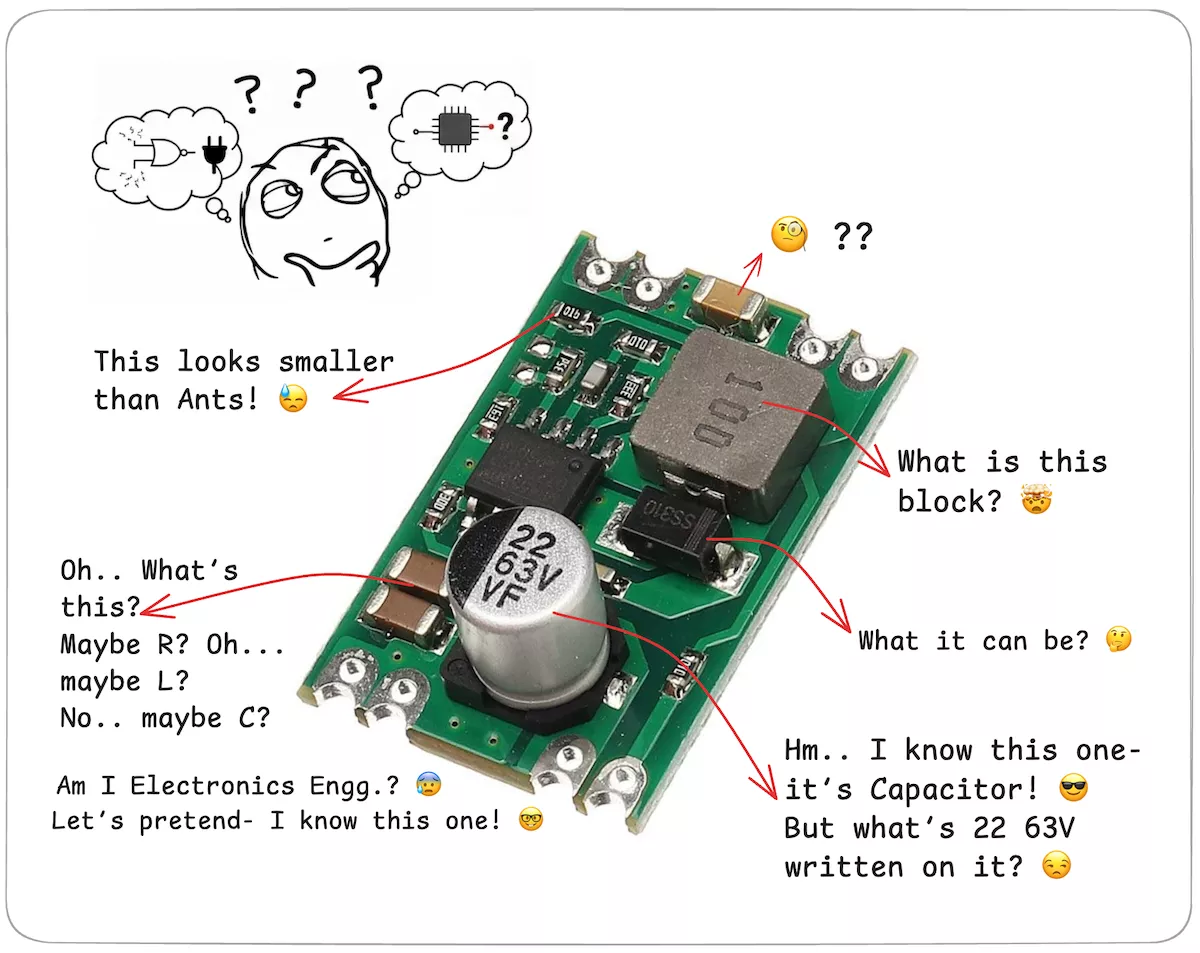
This topic focuses on the essential, professional-level components skills every hardware engineer must master.
Motivation behind this topic:
It all started with repeated frustration from senior hardware engineers- “Freshers don't even know which one is an inductor and which is a capacitor!”
Education teaches circuit theory, but real-world component skills are often missed- and they’re hard to pick up later, since they’re scattered and rarely taught clearly.
This topic is created by experienced hardware designers, using real-world challenges and years of experience to craft practical, scenario-based questions & tasks that truly build deep understanding.
This track exists to close that skill gap- that nobody talks about.
What Does This Topic Cover?
Throughout this topic, you’ll build real-world skills in:
What You'll Actually Practice
This isn't a textbook. There are no long lectures. Every question is a scenario- a real situation a hardware engineer would face at their desk.
| Component | What You'll Master |
|---|---|
| Resistor | Marking codes, SMD packages, shunt selection, THT-to-SMD migration |
| Capacitor | Dielectric types, derating, decoupling, bulk capacitor selection |
| Inductor | Core types, saturation, buck/boost selection, EMI filter design |
| Diode | Schottky vs. standard, Zener clamping, flyback protection, rectifier selection |
| Transistor | BJT vs. MOSFET selection, relay drivers, high-side switches, PWM drivers |
| Switch | Tactile, slide, DIP, limit, reed — when to use which |
| Relay | Contact ratings, coil drivers, SSR vs. mechanical, AC vs. DC loads |
| Optocoupler | Signal isolation, CTR, triac output, voltage matching |
| LED | Forward voltage, current limiting, brightness specs, automotive requirements |
Each component module follows the same proven path:
Quick Guide → Concept Quizzes → Real-World Selection Tasks
Why This Topic Is Important
This practice will sharpen your ability to:
- Recognize real components on PCBs
- Decode markings, match footprints, read datasheets
- Select the right part, avoid mismatches, and find substitutes when needed
These are daily tasks in real hardware development, yet rarely taught properly. As a hardware developer, these skills are crucial and help you to save time during prototyping and sourcing by knowing what works and what’s compatible.
In interviews, "Walk me through how you'd select a capacitor for this power supply" is a common senior-level question. Answering it with confidence separates you from candidates.
In design reviews, When your lead asks why you chose that relay or whether your MOSFET can handle the inrush current, your answer needs to come from understanding, not guessing.
In debugging, Half of hardware debugging is looking at a board and recognizing what's on it, whether the markings match the BOM, whether a component looks damaged or wrong. That's pure component fluency.
Who Should Practice This — and Why?
- Fresh graduates & students
These are the skills interviewers expect you to have — and most candidates don't. - Hardware Design Professionals
Strengthen your foundation, avoid sourcing and design mistakes, and improve your hardware design confidence. - Makers & DIY Engineers
Go from breadboard tinkering to reliable hardware by mastering the components behind your creations.
How to Practice “Component Skills”?
Each question/ task on the component skill is designed based on practical scenarios.
You can refer to the quick guides for concept refreshers, but true learning happens when you solve the problems yourself.
Each question has learning; the purpose of the question is not to test your knowledge but to teach you concepts in a practical way.
- Don’t Just Answer — Observe Closely: Each quiz or task includes real images, symbols, or datasheets. Pause and observe details: package shape, marking style, footprint, or circuit context. This helps build your visual recognition — a critical skill for debugging or repair.
- Read Every Learning Section Thoroughly: Even if your answer is correct, read the “solution and learning”. Each one is packed with practical knowledge, tips, and real-world reasoning.
- Note Down Patterns & Mistakes: Keep a notebook or digital notes to track.
- Look It Up on DigiKey / Datasheet: When a part number is mentioned, search it on DigiKey. Browse the full datasheet.
- Set Micro-Goals: Instead of rushing, aim to complete 3–5 quizzes per day. Focus one day on resistors, another on inductors, and so on. Consistency matters more than speed. That’s how deep skill builds.
- Practice with Own PCBs or Scrap Boards: Match what you’ve learned by:
- Looking at actual PCBs (yours or old ones)
- Try identifying parts, markings, or pinouts on your own
- This turns passive learning into hands-on observation practice
- Keep Practicing Until It Feels Natural: Component skills aren’t memorized — they’re trained through exposure and repetition. When you start identifying parts at a glance or questioning specs instinctively, you’ll know you’ve reached true engineering fluency.
This isn’t just about answering correctly — it’s about training your eyes, mind, and decisions like a professional.
Let’s begin with the Resistor module 🚀