
Data Conversion and Encoding
Why This Concept Matters in Firmware
In embedded systems, we often need to:
- Display values on LCD/UART
- Transmit raw bytes in binary/hex form
- Parse input commands from strings
- Convert numbers to strings or vice versa without using
itoa(),sprintf(), orscanf()(due to memory/speed constraints)
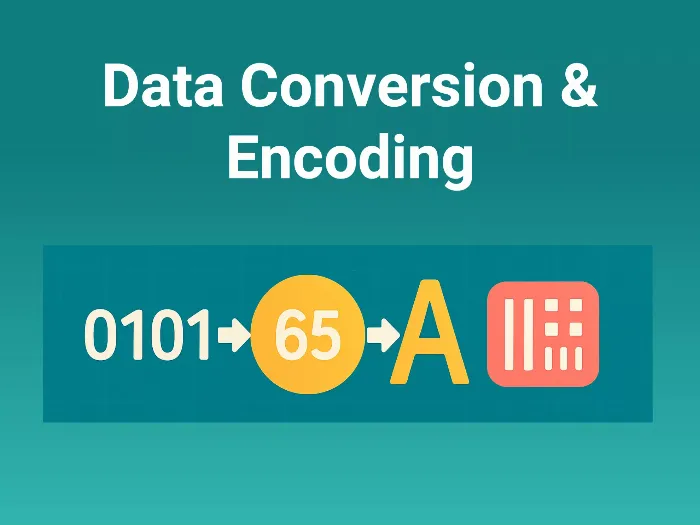
This guide covers how numbers, characters, and byte values are represented and converted — all without library functions.
Understanding Number Systems
| System | Base | Digits used | Example |
|---|---|---|---|
| Decimal | 10 | 0–9 | 123 |
| Binary | 2 | 0,1 | 0b1101 |
| Hex | 16 | 0–9, A–F | 0x1A3F |
| ASCII | — | Character → Numeric Code | ‘A’ = 65 (0x41) |
Firmware Tip: You must think in hex/binary when dealing with hardware like registers, communication, or displays.
| Decimal | Binary | Hex (0x) | ASCII Character | ASCII Hex |
|---|---|---|---|---|
| 0 | 0000 | 0 | NULL | 0x00 |
| 1 | 0001 | 1 | (Control) | 0x01 |
| 9 | 1001 | 9 | '9' | 0x39 |
| 10 | 1010 | A | 'LF' (Newline) | 0x0A |
| 13 | 1101 | D | 'CR' (Return) | 0x0D |
| 15 | 1111 | F | (Various) | 0x0F |
| 48 | 0011 0000 | 30 | '0' | 0x30 |
| 65 | 0100 0001 | 41 | 'A' | 0x41 |
| 97 | 0110 0001 | 61 | 'a' | 0x61 |
Integer to ASCII (Decimal) String Conversion
Goal: Convert an integer like 123 → '1' '2' '3'
int num = 123;
char str[5];
int i = 0;

while (num > 0) {
    str[i++] = (num % 10) + '0';  // Convert to ASCII
    num /= 10;
}

// str now contains reverse digits
🧠 ASCII Hack: '0' = 48 → So to convert digit 5 → char '5', just do:
'5' = 5 + '0' = 53
Binary/Hex String to Integer (Parsing)
a) Binary string to int
char *s = "1010";
int val = 0;
for (int i = 0; s[i]; i++)
    val = (val << 1) | (s[i] - '0');  // Bit-by-bit build
b) Hex string to int (e.g., “1A3”)
char *s = "1A3";
int val = 0;
for (int i = 0; s[i]; i++) {
    char c = s[i];
    int digit = (c >= 'A') ? (c - 'A' + 10) : (c - '0');
    val = (val << 4) | digit;
}
Integer to Binary / Hex Output
a) Binary
for (int i = 7; i >= 0; i--)
    printf("%d", (n >> i) & 1);
b) Hex output
char hex[5];
sprintf(hex, "%X", n); // But in firmware, use custom logic
For small 8-bit numbers:
char hex_digit = (value < 10) ? ('0' + value) : ('A' + value - 10);
Convert String to Float (Without atof)
Break into integer and decimal parts manually:
char *s = "123.45";
int int_part = 0;
float frac_part = 0.0f;
int i = 0;

// Parse integer part
while (s[i] != '.' && s[i]) {
    int_part = int_part * 10 + (s[i++] - '0');
}
i++; // skip '.'

// Parse fractional part
float factor = 0.1f;
while (s[i]) {
    frac_part += (s[i++] - '0') * factor;
    factor *= 0.1f;
}

float result = int_part + frac_part;
Nibble Extraction (from 8-bit Register)
A nibble = 4 bits
uint8_t reg = 0xAB;
uint8_t high = (reg >> 4) & 0x0F; // 0xA
uint8_t low  = reg & 0x0F;        // 0xB
Often used in:
- BCD displays
- 7-segment decoding
- Decoding byte-encoded fields
Firmware Relevance
| Where This Helps | Why It’s Useful |
|---|---|
| UART/USART communication | Send/Receive values as ASCII or HEX |
| Embedded display output | Show sensor values or status text |
| Command/Protocol parsing | Convert “CMD=25” to usable data |
| Memory buffer diagnostics/logs | Show memory in hex/binary |
| Register decoding | Print individual bit/field values |
Common Pitfalls
| Pitfall | Tip |
| ❌ Using sprintf() in low-RAM MCUs | Write minimal string conversion manually |
| ❌ Forgetting ASCII vs numeric diff ('5' vs 5) | Use '0' + digit or char - '0' |
| ❌ Not handling invalid chars (e.g., in hex input) | Always validate string chars |
| ❌ Overflowing string buffers | Ensure enough space for conversion |
Concept understood? Let's apply and learn for real