
Inline Functions (Safe Macros)
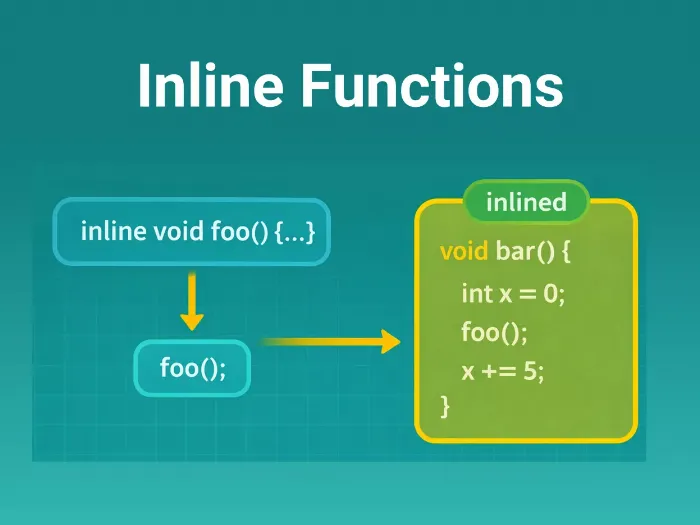
An Inline Function is a function where the compiler attempts to expand the code directly at the call site rather than performing a standard function call (which involves jumping to memory, pushing arguments to the stack, and returning).
Think of it as a "Copy-Paste" operation performed intelligently by the compiler. It aims to eliminate the CPU overhead of the function call mechanism.
Syntax & Usage
1. Basic Declaration
Add the inline keyword before the function definition.
Note: The definition (body) usually needs to be in the header file so the compiler can see it during expansion.
// Defined in .h file
inline int max_val(int a, int b) {
    return (a > b) ? a : b;
}

// Usage in .cpp
void process() {
    int x = max_val(10, 20);
    // Compiler effectively replaces this with:
    // int x = (10 > 20) ? 10 : 20;
}
2. Implicit Inline
Member functions defined inside the class declaration are implicitly inline by default.
class LED {
    // Implicitly inline because it's defined inside the class
    void on() {
        *register |= 0x01;
    }
};
How It Works: Call vs. Expansion
| Standard Function Call | Inline Expansion |
|---|---|
| Step 1: Push registers/args to stack. | Step 1: Paste function code directly. |
| Step 2: Jump to function address. | Step 2: Execute logic. |
| Step 3: Execute logic. | Step 3: Continue execution. |
| Step 4: Pop stack & Return. | Overhead: None. |
| Overhead: High (CPU Cycles). | Cost: Increased Flash usage (Code Bloat). |
Relevance in Embedded/Firmware
1. Replacing Unsafe C Macros
In C, we use #define MAX(a, b) ((a) > (b) ? (a) : (b)) to avoid function overhead. This is dangerous (type-unsafe, double-evaluation bugs).
inline functions provide the same speed as macros but with Type Safety and debugging support.
// Macro (Dangerous): SQUARE(x++) -> increments x twice!
// Inline (Safe): square(x++) -> works correctly.
2. Zero-Cost Abstractions
You can write clean "Getter/Setter" functions for hardware registers without slowing down the code.
inline void set_bit(uint32_t *reg, uint8_t bit) {
    *reg |= (1 << bit);
}
// This compiles to a single assembly instruction (LDR/ORR/STR), just like raw C.
3. High-Frequency Loops
For code running inside tight loops (e.g., DSP filters, pixel processing) or fast Interrupt Service Routines (ISRs), saving the 10-20 cycles of a function call can be significant.
Common Pitfalls (Practical Tips)
| Pitfall | Details |
|---|---|
| ❌ Code Bloat | If an inline function is large and called from 50 places, the code is copied 50 times. This can explode your firmware size. |
| ❌ Compiler Discretion | The inline keyword is just a request. The compiler may ignore it if the function is too complex (contains loops, recursion, or switch cases) and treat it as a normal function. |
| ❌ Debugging Issues | Debugging inline functions can be jumpy because the "function" doesn't strictly exist as a single block of memory; it's scattered everywhere. |
| ✅ Usage Rule | Only inline small functions (1-5 lines of code). Let the compiler decide for larger ones. |
| ❌ Linker Errors | If you define an inline function in a .cpp file and try to use it in another file, you'll get an "Undefined Reference" error. Inline definitions must go in the Header (.h). |
Concept understood? Let's apply and learn for real